10 Small Desk Setup Ideas

A small desk does not mean small productivity. Many people work, study, or create content from limited spaces such as dorm rooms, apartments, or compact home offices. With the right planning and organization, even the smallest desk can become a comfortable and efficient workspace. The key is to focus on smart layouts, useful accessories, and minimal clutter.

A well-designed desk setup can improve concentration, reduce stress, and make everyday tasks easier. When your tools are arranged in a practical way, you waste less time searching for things and more time doing meaningful work. Small desks also encourage simplicity, which often leads to a cleaner and more organized environment.
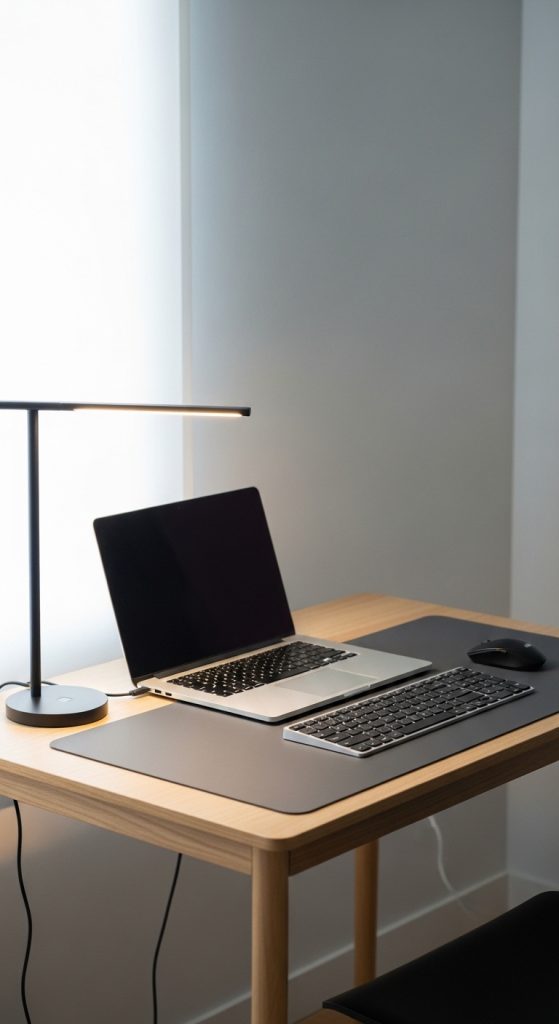
Before building a small desk setup, it is important to think about preparation. Measure your desk space, identify the essential tools you use daily, and remove unnecessary items. Materials such as monitor stands, cable organizers, desk mats, shelves, and storage boxes can help maximize the available area. Lighting is also important because good light reduces eye strain and makes the workspace more pleasant.

This guide presents ten practical small desk setup ideas that focus on organization, functionality, and comfort. Each idea includes preparation steps, recommended materials, and helpful tips to create an efficient workspace even when space is limited.


1. Minimalist Desk Setup

A minimalist desk setup focuses on simplicity and removing unnecessary items. This idea works especially well for small desks because it keeps the workspace clean and distraction free.

Preparation begins with decluttering the desk. Remove everything from the surface and only place back the items that are used daily. A laptop or monitor, keyboard, mouse, and a small notebook are usually enough for most people. Avoid decorative items that take up valuable space.

The main materials needed for a minimalist setup include a desk mat, a simple lamp, and a cable management system. A desk mat helps define the workspace and protects the surface. A compact LED desk lamp provides good lighting without occupying much room. Cable clips or cable sleeves keep wires organized and hidden.

Place the monitor or laptop in the center of the desk and keep the keyboard directly in front of it. Keep frequently used items within easy reach. Everything else should be stored in drawers or shelves.

The biggest advantage of a minimalist desk is that it improves focus. When there are fewer objects around, it becomes easier to concentrate on tasks. This setup is perfect for writers, students, programmers, and anyone who values a clean and simple workspace.


2. Vertical Storage Desk Setup

When desk space is limited, the best solution is to use vertical space. A vertical storage desk setup focuses on building upward rather than spreading items across the desk surface.

Start by installing a wall shelf or pegboard above the desk. This allows you to store items such as notebooks, headphones, chargers, and stationery without crowding the desk itself. Floating shelves are especially useful because they provide storage while maintaining a clean appearance.

Materials required for this setup include wall shelves, pegboards, small hooks, storage baskets, and cable holders. Pegboards are very flexible because you can rearrange hooks and containers whenever needed.

Place essential devices like the laptop or monitor on the desk while moving secondary items to the wall storage. For example, headphones can hang on hooks, notebooks can be stacked on a shelf, and pens can be stored in wall-mounted holders.

Vertical storage keeps the desk surface clear while still keeping everything accessible. It also adds visual structure to the workspace, making it look organized and professional.

This setup is ideal for artists, students, and designers who need multiple tools but have limited desk space.


3. Laptop-Centered Desk Setup

Many people work primarily on laptops, which makes a laptop-centered setup one of the most practical options for small desks.

Preparation involves positioning the laptop in a way that maintains good posture. A laptop stand is highly recommended because it raises the screen to eye level and reduces neck strain. This also creates extra space underneath the stand for storing items.

Materials needed include a laptop stand, a compact wireless keyboard, a wireless mouse, and a desk mat. Wireless accessories are helpful because they reduce cable clutter and provide more flexibility.

Place the laptop stand near the back of the desk. Position the keyboard and mouse in front of it, leaving some space for writing or using a notebook. A small desk lamp can be placed on one side for lighting.

If additional storage is needed, use a small drawer organizer for pens, USB drives, and other small accessories.

This setup is perfect for remote workers, students, and freelancers who rely on laptops for most of their tasks. It provides a comfortable working position while keeping the desk area neat and efficient.


4. Corner Desk Setup

A corner desk setup is an excellent way to maximize limited space. Corners are often underused areas in rooms, but they can become productive workspaces with proper planning.

Begin by placing the desk directly in the corner so that both walls can be used for storage or decoration. This layout naturally creates a focused work area while keeping the rest of the room open.

Materials that work well for this setup include corner shelves, a monitor stand, and wall-mounted lighting. Corner shelves help store books and office supplies without occupying desk space. A monitor stand can raise the screen and provide storage underneath.

Arrange the monitor or laptop in the center of the corner area. Place speakers, lamps, or small storage boxes along the sides. Keep the middle section clear for typing or writing.

The advantage of a corner setup is that it surrounds the user with useful tools while maintaining a compact layout. It also helps reduce distractions by creating a defined workspace.

This idea is particularly useful in bedrooms, small apartments, and shared living spaces.


5. Dual Monitor Compact Setup

Even small desks can support a dual monitor setup if arranged carefully. This configuration is helpful for people who work with multiple applications at the same time.

Preparation involves measuring the desk width and ensuring there is enough space for two screens. Instead of using standard monitor stands, consider a monitor arm mount. Monitor arms attach to the back of the desk and hold the screens above the surface.

Materials required include two monitors, a dual monitor arm, cable management clips, and a large desk mat.

Mount the monitors side by side and adjust them to eye level. Because the monitors are lifted by the arm, the desk surface remains free for other items such as the keyboard, mouse, and notebook.

Proper cable management is important in this setup. Use cable sleeves or clips to route wires along the back of the desk.

A compact dual monitor setup improves multitasking and productivity while still maintaining a clean workspace.


6. Portable Desk Setup

A portable desk setup is ideal for people who frequently move their workspace or prefer flexibility.

Start by selecting lightweight equipment that can be easily moved. A laptop is usually the main device in this setup. Compact accessories such as foldable laptop stands, wireless keyboards, and small mice are recommended.

Materials for this setup include a laptop stand, a small desk organizer, wireless peripherals, and a portable desk lamp. A laptop sleeve or storage pouch can hold accessories when not in use.

Arrange the desk so that all essential items can be packed quickly. Keep cables minimal and store small accessories in a compact container.

The main advantage of a portable setup is flexibility. You can move your workspace between rooms or even take it to different locations such as libraries or coworking spaces.

This setup is popular among students, digital nomads, and remote workers who value mobility and convenience.


7. Creative Workspace Desk Setup

A creative desk setup is designed for artists, designers, writers, and content creators who need tools for creative work.

Preparation involves identifying the tools used most frequently. For example, artists may need drawing tablets, sketchbooks, or paint supplies. Writers may require notebooks and reference books.

Materials include pen holders, small storage drawers, desk organizers, and adjustable lighting. A desk lamp with adjustable brightness is especially important for detailed creative work.

Arrange the main device, such as a laptop or drawing tablet, in the center. Keep creative tools organized in containers so they are easy to access without cluttering the desk.

You can also add a small inspiration board above the desk where ideas, sketches, or notes can be displayed.

A well-organized creative desk helps maintain inspiration and reduces interruptions during the creative process.


8. Study-Focused Desk Setup

A study-focused desk setup is designed for students who need a comfortable and organized environment for learning.

Preparation begins with ensuring proper lighting and ergonomic seating. Good lighting helps prevent eye strain, especially during long study sessions.

Materials needed include a study lamp, book stand, notebook organizer, and storage trays for stationery. A book stand is particularly helpful because it holds textbooks upright and saves desk space.

Place the main study materials directly in front of the user. Keep notebooks, pens, and highlighters in organized containers. Store less frequently used books on shelves above or beside the desk.

The goal of this setup is to reduce distractions and support focused learning. A tidy desk makes it easier to concentrate on reading, writing, and reviewing study materials.

This setup works well for high school students, university students, and anyone preparing for exams.


9. Tech Enthusiast Desk Setup

A tech enthusiast desk setup is designed for people who enjoy working with gadgets and modern technology.

Preparation includes selecting devices that enhance productivity without overcrowding the desk. These may include mechanical keyboards, compact speakers, or charging stations.

Materials include a keyboard wrist rest, cable management systems, device stands, and multi-device charging hubs. A monitor light bar can also provide illumination without occupying desk space.

Arrange the main computer or laptop in the center and position accessories symmetrically around it. Keep cables organized behind the desk using clips or sleeves.

This setup focuses on combining technology with clean organization. It allows users to enjoy their devices while maintaining an efficient workspace.

Tech enthusiasts often customize this setup with RGB lighting or unique desk accessories, but it is important to keep the layout balanced to avoid clutter.


10. Calm and Aesthetic Desk Setup

A calm and aesthetic desk setup focuses on creating a peaceful environment that encourages productivity and relaxation.

Preparation begins with selecting a simple color palette such as white, beige, gray, or light wood tones. Consistent colors help create a visually pleasing workspace.

Materials for this setup include a desk mat, small plant, warm desk lamp, and minimal decorative items. A small indoor plant can improve the atmosphere and make the workspace feel more natural.

Place the main work device in the center and arrange decorative items along the edges. Avoid overcrowding the desk with too many objects.

Soft lighting and neutral colors can make the workspace feel calm and comfortable, which may improve focus and reduce stress.

This setup is popular among people who enjoy aesthetically pleasing environments, including writers, designers, and remote workers.


Leave a Reply

Your email address will not be published. Required fields are marked *